2026 · IN DEVELOPMENT · INTERACTIVE 3D
3D Joinery Planner
A planner for building kitchens with configurable joinery units.
What It Is
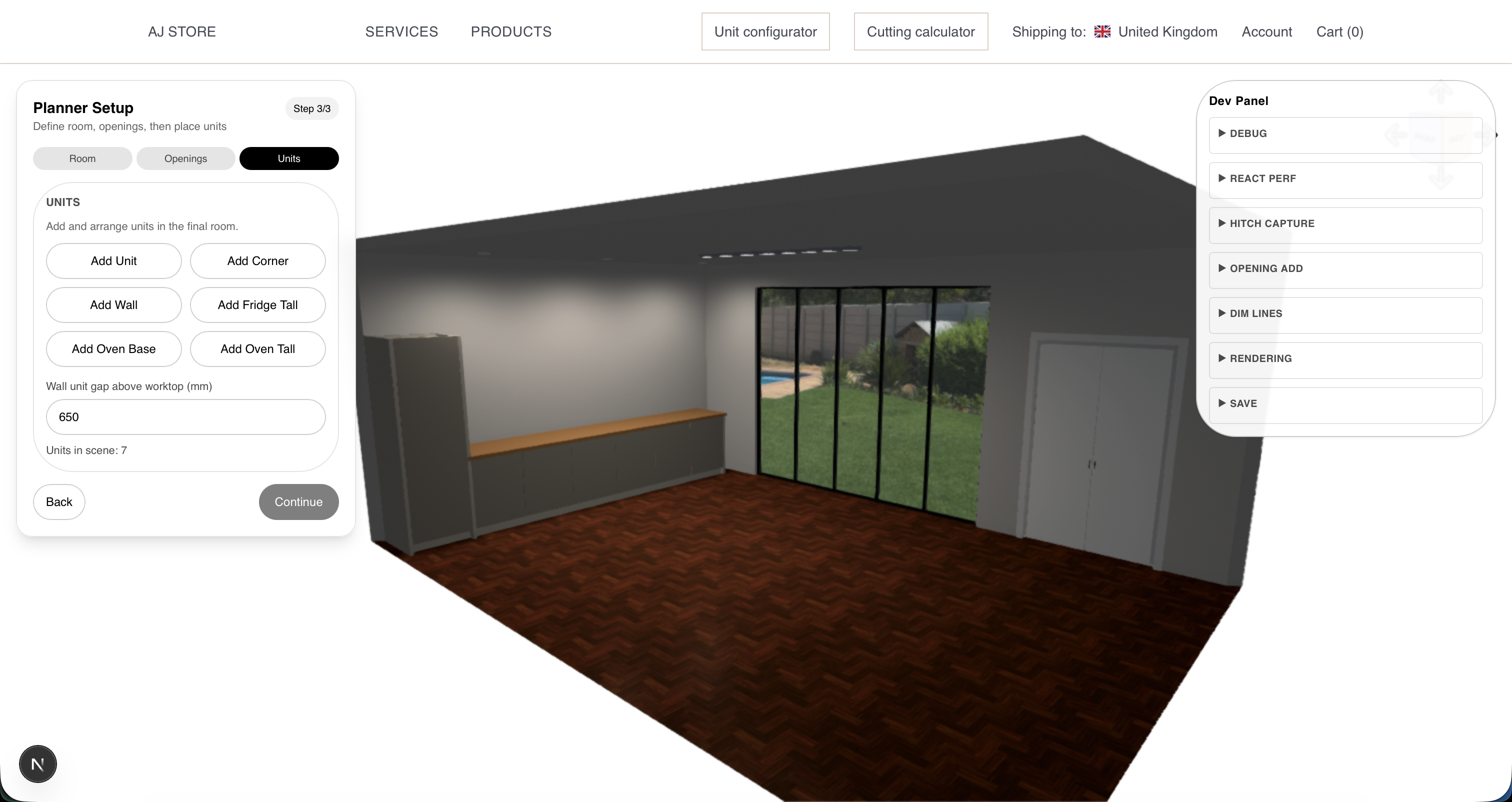
The planner combines a configurable unit builder with a wider kitchen planning tool, allowing both technical and non-technical clients to design their own kitchen in 3D. Users can define a space, place units, and adjust the design visually, while the polished presentation helps them understand the result and feel more confident about buying bespoke joinery.
Design Choices
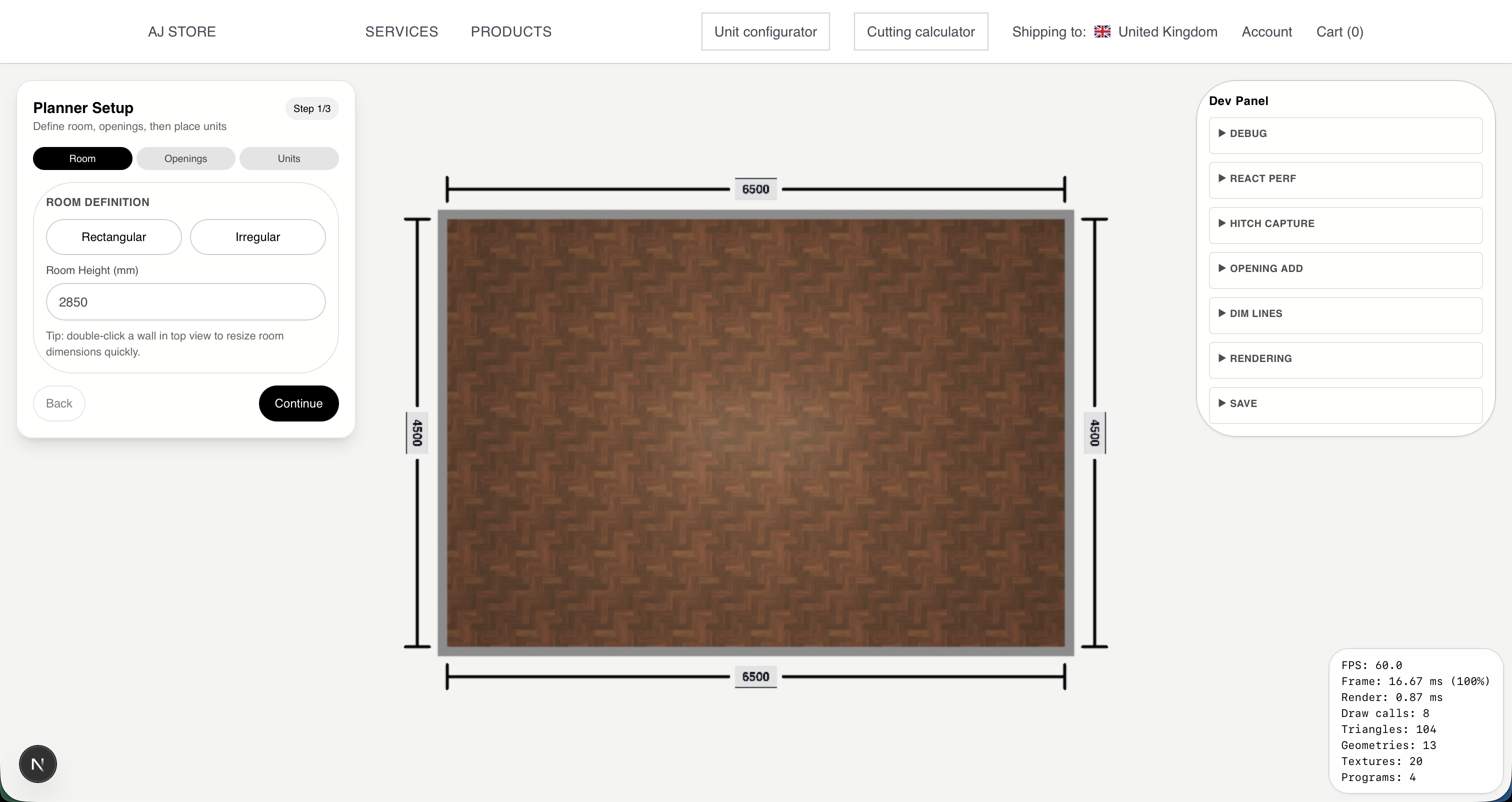
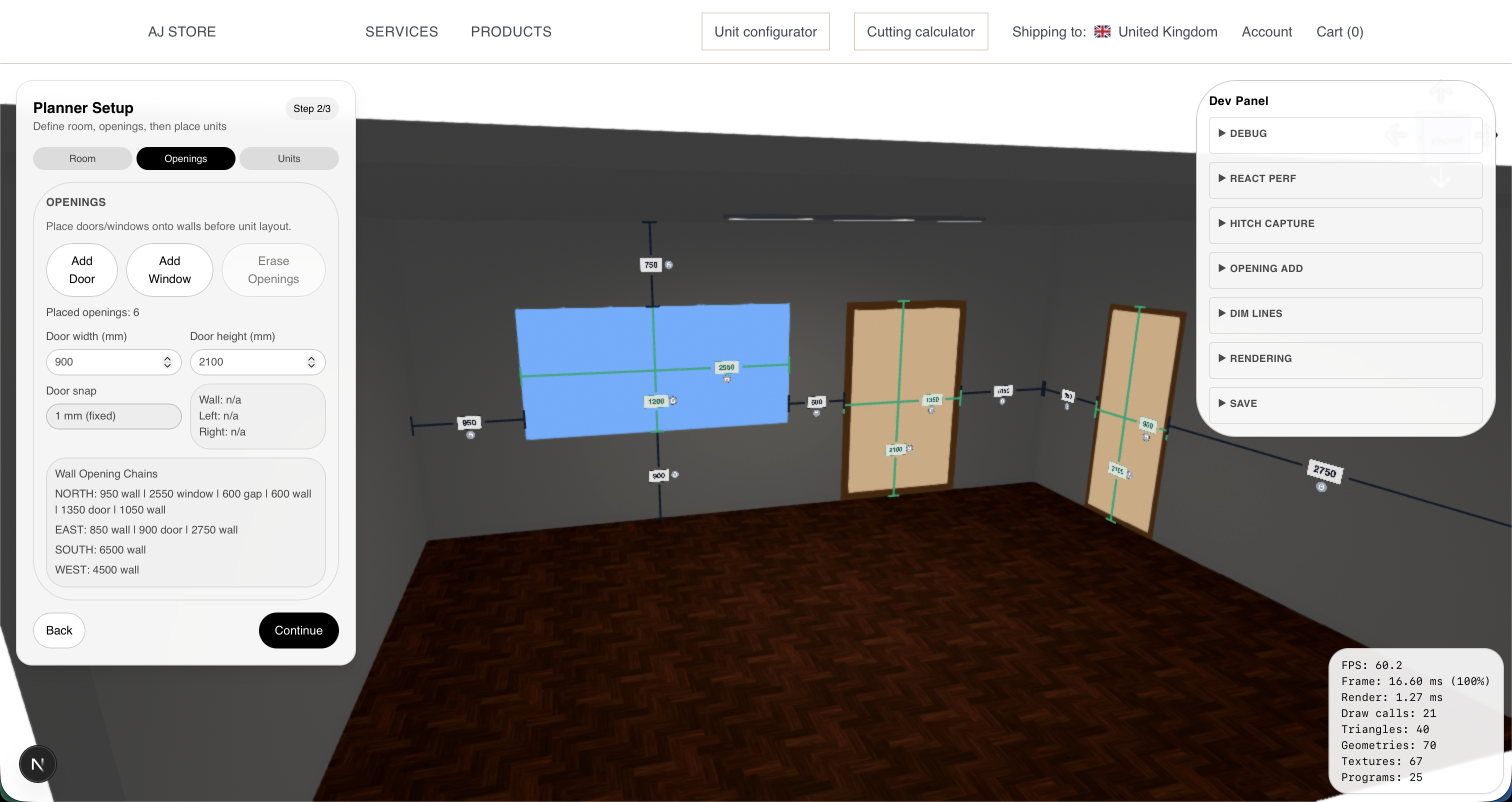
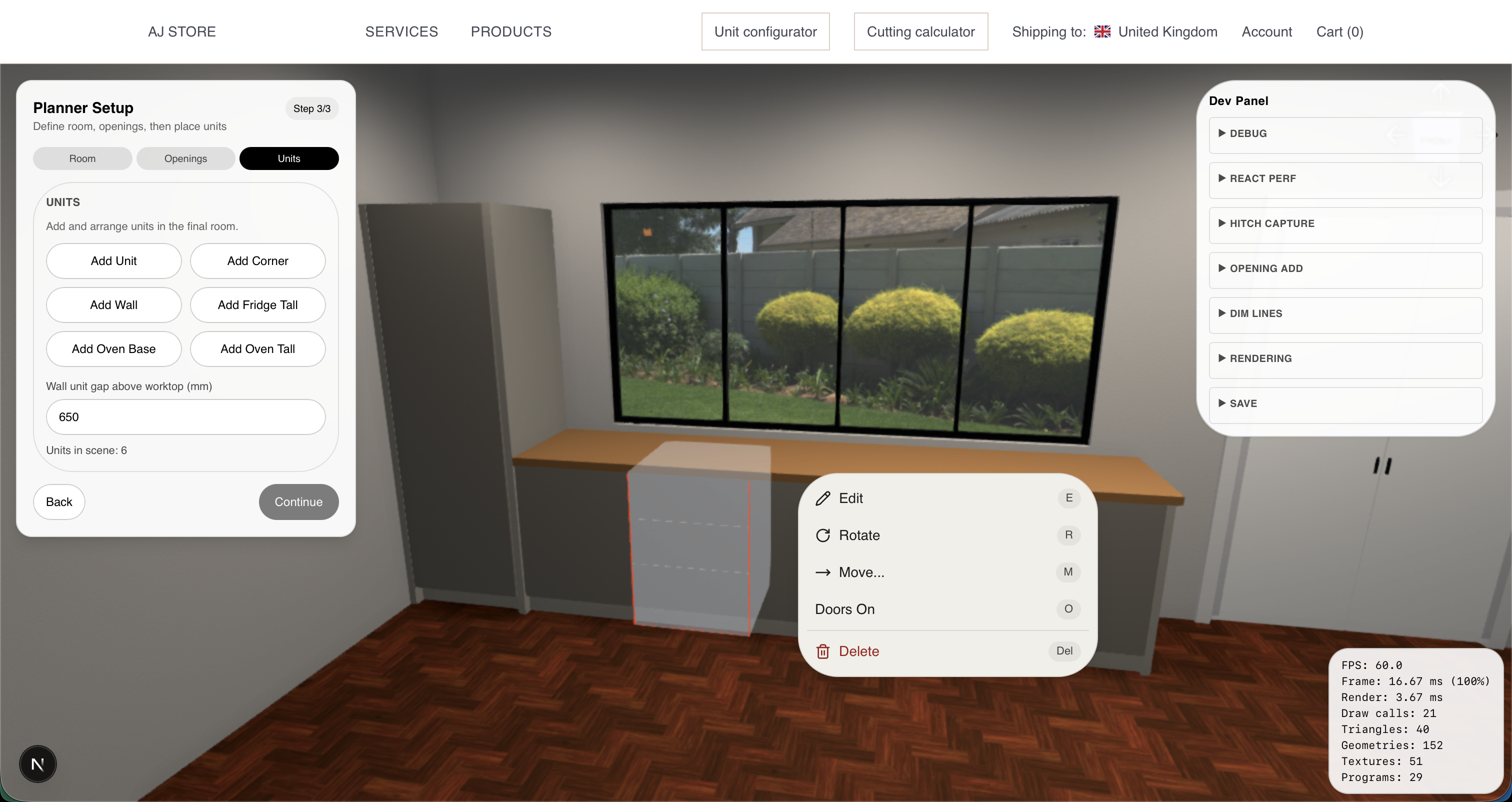
One of the main design decisions was to give the planner a fixed three-stage workflow suited to the user’s level of experience. The first stage uses a top-down 2D view to define the room. The second moves into 3D so the user can place openings accurately within the walls. The third stage is for placing the units themselves.
This structure was chosen to keep the process clear and reduce confusion, while also making the system more practical to develop and test. The room setup is intentionally constrained to axis-aligned layouts, with no unusual angles, both because that is more realistic for most users and because it avoids unnecessary technical complexity.
Another major focus is visual quality. Lighting, post-processing, and realistic material presentation all play an important part in making the planner feel polished, persuasive, and closer to the final product a customer would actually receive.
Future Direction
The planner is still in early development, and although a lot of the core direction is already in place, there is still a great deal to add and refine. The current foundation covers the wider workflow, the unit logic, and the general structure of the planner, but the project is still being built out in stages rather than all at once.
The next steps include things like end panels, worktops, wall units, fuller material integration, a broader customer-facing catalogue, interface refinement, and much more testing across the whole workflow. One of the more ambitious features is a style-generation system, where a user could define their room, choose a style, and have a kitchen generated for them automatically before refining it further.
In the longer term, the planner is intended to become more than a visual design tool. The aim is for it to sit inside a wider sales and production pipeline, where a customer can design a kitchen, place an order, and send that information directly into the manufacturing side with the units and files ready to be prepared for production. Because this is meant for real customers, real purchases, and real production, the standard has to be extremely high and the system has to work reliably at every stage.
Architecture
Unit Engine
A large part of the planner is built around the unit engine, which defines the individual units, how they can be customised, and how they are actually constructed. This is one of the core layers of the whole system, because the planner depends on the units behaving in a structured and predictable way.
Rendering Pipeline
Rendering is another major part of the project. Lighting, materials, and post-processing all play an important role in making the planner feel polished, readable, and persuasive from a customer point of view. The visual side is not just there to display the units, but to make the whole experience feel closer to a real product.
Placement Logic
The planner also depends on placement logic that controls where units can go and how they behave within the defined space. Units can only be placed once the room and openings have already been set, and their placement needs to account for collisions, constraints, and the materials available for use.
What Still Needs Building
The planner is still in early development, and there is still a lot to add before it is ready for real customer use. That includes things like end panels, worktops, wall units, fuller material integration, a broader customer-facing catalogue, cleaner interface work, and much more testing across the full workflow. Longer term, one of the more important additions will be automatic kitchen generation, allowing a user to define a room, choose a style, and have a layout generated for them automatically before refining it further.